Click-to-chat website engagement turns passive website visits into useful conversations by placing relevant messaging options where customer intent is highest. Businesses can improve results by choosing manageable channels, using specific prompts, protecting customer information, following accessibility practices, and measuring qualified conversations rather than clicks alone.
- Use click-to-chat to reduce friction when visitors have questions, doubts, or support needs.
- Choose messaging channels based on customer intent and your team’s ability to respond consistently.
- Improve lead quality with page-specific prompts, minimal initial questions, and a defined next step.
- Protect the experience with accessible design, clear privacy guidance, mobile testing, and outcome-based measurement.
Click-to-chat website engagement helps turn passive website visitors into active conversations by giving them a fast, familiar way to ask questions, request help, or contact your business. Instead of forcing every visitor to search for a contact page or complete a long form, a well-placed chat button can connect people with the messaging channel they already prefer.
That simple interaction can support several business goals at once: lead generation, customer communication, pre-sale support, appointment requests, product questions, and post-purchase service. The key is not to add as many channels as possible. The key is to make the right conversation available at the right moment, with clear expectations about what happens after someone clicks.
This guide explains how to build a click-to-chat strategy that improves website engagement without overwhelming visitors or your support team. You will learn how to choose messaging channels, place chat buttons, write better prompts, qualify conversations, measure performance, and create a more accessible customer experience.
What is click-to-chat website engagement?
Click-to-chat website engagement is the use of visible chat buttons, widgets, or channel links that let website visitors begin a conversation with a business. The interaction may open a live chat window, WhatsApp conversation, SMS message, email draft, phone call, social media inbox, or another communication channel.
Unlike a passive contact page, click-to-chat gives visitors a direct action to take while they are already viewing a product, service, pricing page, booking page, or support article. The conversation can begin with a question such as:
- “Can you help me choose the right plan?”
- “Is this product available in my area?”
- “How long does delivery take?”
- “Can I schedule a consultation?”
- “I need help completing my order.”
The business benefit comes from reducing the distance between intent and action. A visitor who is interested but uncertain does not need to leave the page, open a new search, or guess which contact method to use. They can start a relevant conversation immediately.
Why click-to-chat can improve website engagement
Most website visitors do not arrive with the same level of confidence. Some are ready to buy. Others are comparing options, checking details, or looking for reassurance. A click-to-chat button creates an additional path for visitors who are not ready to complete a form or purchase but are willing to ask a question.
This matters because friction often appears in small moments. A visitor may hesitate because a product specification is unclear, a price needs explanation, a service area is uncertain, or the next step feels risky. A useful chat option makes it easier to resolve that hesitation while the visitor still has the context of the page in front of them.
For a practical overview of this approach, see how click-to-chat turns website visitors into conversations. The central principle is straightforward: make starting a relevant conversation easier than abandoning the page.
How click-to-chat supports lead generation
Click-to-chat is not automatically a lead-generation system. A button by itself only creates an opportunity. To turn conversations into qualified leads, you need a useful path from the first message to the next business action.
1. Capture intent before asking for too much information
Visitors are more likely to begin a conversation when the first step feels simple. Avoid asking for a full qualification form before the person can explain what they need. Start with a low-friction invitation, then gather only the information that helps move the conversation forward.
For example, a service business might begin with “What can we help you plan?” and later ask for the project type, timeline, location, and preferred contact method. An ecommerce store might ask which product the shopper is considering before requesting an email address.
2. Use page context to improve qualification
The page where a visitor starts a chat provides useful context. A conversation launched from a pricing page may indicate commercial intent. A conversation from a troubleshooting article may indicate a support need. A conversation from a product comparison page may signal that the visitor needs help making a decision.
Use that context to create more relevant prompts and routing rules. Instead of showing the same generic message everywhere, adapt the invitation to the visitor’s likely goal.
3. Define the next step
Every lead-generation conversation should have a clear next action. That action could be booking a call, requesting a quote, sharing an email address, selecting a product, submitting a project brief, or continuing the conversation in a messaging app.
A conversation becomes more valuable when both the visitor and the business know what happens next. This also makes it easier to evaluate performance beyond the number of chats started.
For more ideas, explore this guide to turning website conversations into customers.
Choose messaging channels based on customer intent
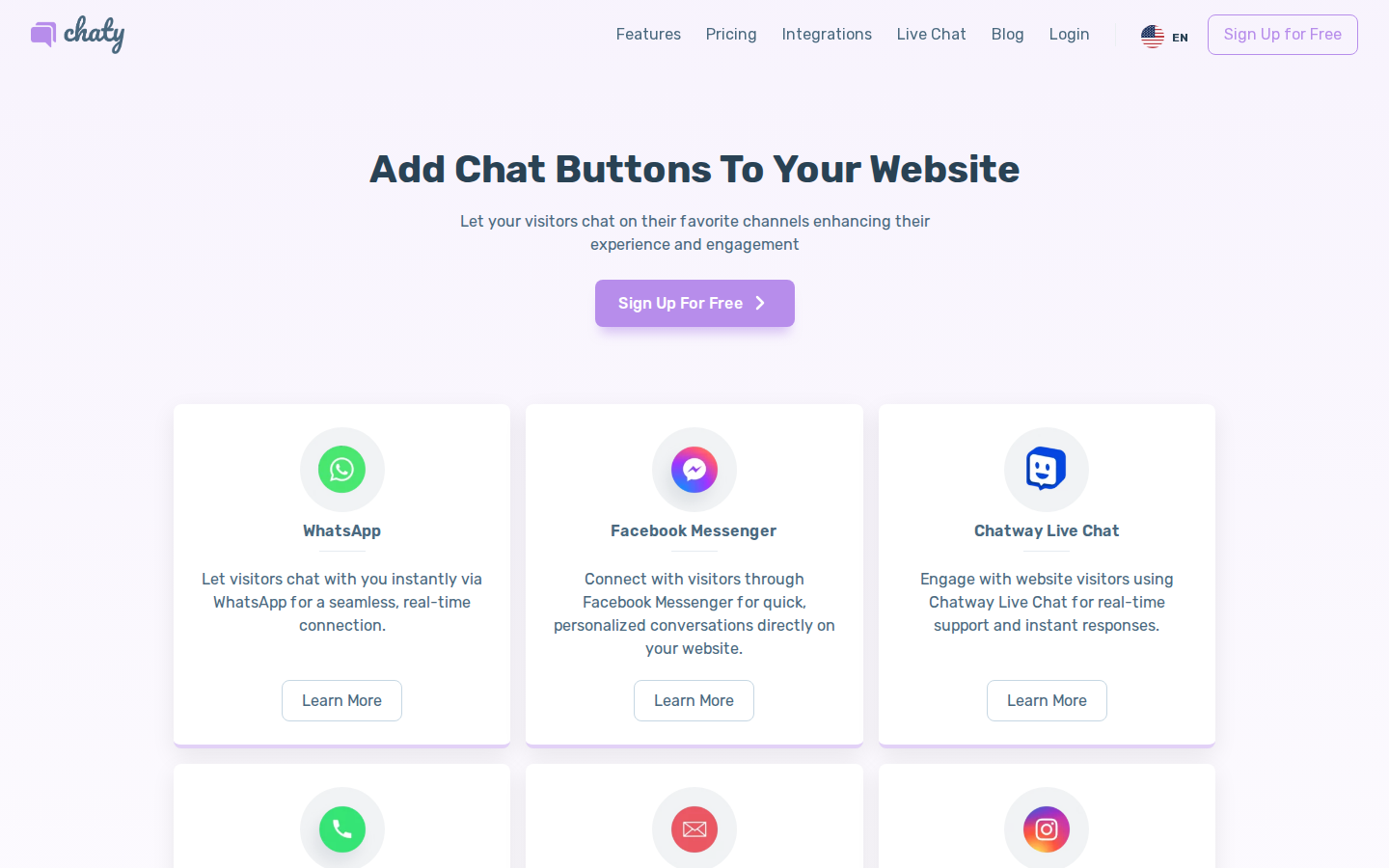
Different messaging channels suit different types of conversations. The best choice depends on your audience, operating hours, response process, and the type of information customers need to share.
Live chat for immediate website help
Live chat works well when visitors need answers without leaving your website. It is useful for product questions, account help, pricing clarification, and navigation support. It can also help a sales or service team understand objections before a visitor leaves.
Live chat requires clear ownership. If no one monitors the channel, visitors may receive a poor experience. Set expectations with a visible response-time message, availability indicator, or offline contact option.
WhatsApp for ongoing conversations
WhatsApp can be useful when customers prefer to continue the conversation on a mobile messaging app. It may suit appointment reminders, order questions, service coordination, or conversations that do not need to remain inside the website.
Make sure the visitor understands that clicking the button may move the conversation away from your website. Explain what the channel is used for and avoid requesting sensitive information through an informal message unless your policies and security controls support it.
SMS for short, time-sensitive communication
SMS can be appropriate for concise requests, appointment coordination, and quick follow-up. Because text messaging can feel personal, use it carefully and communicate consent expectations clearly. A visitor should not be surprised by future messages after starting a conversation.
Email for detailed or document-based requests
Email remains useful when a customer needs to provide background, attachments, specifications, or a longer explanation. An email button can be a good alternative to a form when the visitor already knows what they want to ask.
Phone calls for complex or urgent needs
A phone button can reduce friction for visitors who prefer speaking with a person. It is especially useful for high-consideration services, urgent support, local businesses, and situations where a back-and-forth text conversation would take too long.
Chaty can help businesses organize multiple contact options through a single multi-channel chat button. The goal is not to display every possible channel. It is to present the channels that your customers actually use and your team can reliably manage.
Where should you place a click-to-chat button?
Placement should follow visitor intent, not decoration. A button that is visible everywhere may become background noise, while a button that appears only on the homepage may be missed at the moment help is needed.
High-value locations
- Product pages: Help visitors understand features, compatibility, sizing, delivery, or availability.
- Pricing pages: Address plan differences, billing questions, implementation concerns, or custom requirements.
- Checkout pages: Resolve last-minute questions that could prevent an order.
- Service pages: Help visitors confirm fit, timing, location, and expected outcomes.
- Contact pages: Offer a faster alternative to a long form.
- Support content: Provide a path to human help when an article does not answer the question.
Use page-specific prompts whenever possible. “Need help choosing a plan?” is more useful on a pricing page than “Chat with us.” Specific language tells visitors why the channel is relevant and what kind of response they can expect.
How to write better click-to-chat prompts
The text around a chat button has a direct effect on whether visitors understand the action. Strong prompts are concise, specific, and connected to a customer need.
Use a clear benefit
Explain what the visitor can accomplish. Examples include “Ask a product question,” “Get help choosing a plan,” and “Check availability.” These phrases are more useful than a generic “Contact us” label because they set an immediate expectation.
Reduce uncertainty
Visitors may hesitate because they do not know whether someone will respond. Add practical details such as “Replies during business hours,” “Usually responds within one business day,” or “Leave a message after hours.” Only use statements that accurately reflect your process.
Match the tone to the situation
A friendly prompt may work well for ecommerce, while a professional service may need more formal language. Keep the wording consistent with the rest of your website and avoid artificial urgency unless the situation genuinely requires it.
Make the first message easy
Pre-filled opening messages can help visitors start. For example, an SMS link might prepare “Hi, I have a question about your services.” A WhatsApp link might prepare a product-specific question. Review the message before publishing it so that it is accurate, natural, and easy for the customer to edit.
Design an accessible chat experience
A click-to-chat button should be usable by as many visitors as possible, including people who navigate with a keyboard, screen reader, magnification software, or alternative input device. Accessibility is part of effective website engagement because an interaction that cannot be found or operated is not a usable conversion path.
Follow recognized accessibility guidance when designing the button, launcher, popup, and chat interface. The W3C Web Content Accessibility Guidelines cover keyboard access, focus visibility, readable content, contrast, input assistance, and other aspects of accessible web experiences.
In particular, check that the chat launcher:
- Has a meaningful accessible name, not only an icon.
- Can be reached and activated with a keyboard.
- Displays a visible focus indicator.
- Does not cover important content or controls.
- Has a sufficiently large pointer target on mobile devices.
- Can be closed without trapping keyboard focus.
- Does not rely only on color to communicate availability or status.
WCAG 2.2 includes guidance related to focus visibility, focus not being obscured, and minimum target size. These considerations are particularly relevant to floating chat buttons because they often sit above page content and may be used on small screens.
Protect customer information in chat conversations
Customer communication often involves personal information. A visitor may share an email address, phone number, order reference, location, or details about a business need. Before launching a chat channel, decide what information your team needs, where it will be stored, who can access it, and how long it should be retained.
Use data minimization as a practical rule: ask for information that supports the stated purpose, and avoid collecting details that are not necessary. The NIST Privacy Framework provides a structured way to think about privacy risk, communication, data processing, and organizational responsibilities.
Customer-facing guidance should also make clear what people should not send through chat. For example, you may instruct visitors not to share passwords, full payment card numbers, authentication codes, or other highly sensitive information. Your support team should know how to redirect those requests to a safer process.
Security also includes link awareness. If your team sends a customer to another website, identify the destination clearly and avoid unexpected requests for credentials or payment information. CISA advises consumers to be cautious with suspicious messages and links, which is a useful principle for businesses designing customer communication workflows as well.
Connect website engagement to your customer journey

Click-to-chat performs best when it is connected to the rest of your customer journey. A chat button should not become an isolated inbox that your team checks only occasionally. Define how conversations move from first contact to resolution, sale, appointment, or follow-up.
For marketing teams
Marketing teams can use chat conversations to understand recurring questions, objections, and language customers use to describe their problems. Those insights can improve landing pages, comparison content, email campaigns, and calls to action.
For sales teams
Sales teams can use chat to identify fit and timing. A short conversation may reveal whether the visitor needs a self-service answer, a product demonstration, a quote, or a consultation. Create a consistent handoff process so that qualified conversations do not disappear in a shared inbox.
For customer service teams
Support teams can use click-to-chat to resolve questions before they become complaints. Categorize conversations by topic and review repeated issues. If many people ask the same question, improve the relevant page or add a clearer explanation.
For additional service guidance, read how chat widgets improve customer service.
Measure click-to-chat website engagement
Start with a small set of metrics that reflect business value. The right measurement model depends on your goal, but useful categories include:
- Button visibility: Where and when the chat option appeared.
- Interaction rate: How often visitors opened or selected the chat option.
- Conversation starts: How many visitors sent an initial message or completed the channel action.
- Response performance: How quickly and consistently the team responded.
- Qualification rate: How many conversations met your definition of a useful lead.
- Resolution rate: How many support conversations reached a satisfactory outcome.
- Assisted conversion: How often a conversation contributed to a sale, booking, quote, or other goal.
Do not judge the channel only by the number of clicks. A high click rate with poor response quality may create more frustration than value. Conversely, a lower-volume channel may be valuable if it produces well-qualified requests or resolves complex issues efficiently.
Common click-to-chat mistakes to avoid
Showing too many channels
A long list of icons can make the visitor choose between options they do not understand. Start with the channels that match your audience and support capacity. Add more only when there is a clear customer need.
Using the same message on every page
Generic prompts miss the opportunity to respond to page intent. Adjust the call to action based on what the visitor is likely trying to accomplish.
Promising instant replies without coverage
Response promises should reflect your actual staffing and time zone coverage. If the team is unavailable, provide an honest offline option and a realistic response expectation.
Collecting more data than necessary
Long forms and invasive questions can stop a conversation before it begins. Ask only what is needed for the next step, and explain why you need it.
Ignoring mobile visitors
Test the chat button on small screens. It should not cover navigation, checkout controls, cookie notices, or important product information. Make sure channel links open correctly and that the first message is easy to edit.
A practical implementation checklist
Use this checklist to launch or improve a click-to-chat website engagement strategy:
- Define the primary goal: sales assistance, support, booking, quote requests, or general contact.
- Choose one to three channels that your audience uses and your team can manage.
- Place the chat option on pages where visitors have a clear reason to ask for help.
- Write a specific prompt that explains the benefit of starting a conversation.
- Set accurate expectations for response time and availability.
- Ask for minimal information at the beginning of the conversation.
- Document how conversations are routed, assigned, escalated, and closed.
- Review accessibility, mobile usability, privacy, and security before launch.
- Measure conversation quality and business outcomes, not only clicks.
- Use recurring questions to improve your website content and customer journey.
Turn more website visits into useful conversations
Click-to-chat website engagement works because it meets visitors at the moment they need clarity. It gives uncertain shoppers a way to ask questions, gives prospects a direct path to sales help, and gives customers a faster alternative to searching through support content.
The strongest strategy is focused rather than crowded. Choose relevant channels, place them where intent is highest, write helpful prompts, protect customer information, and connect every conversation to a clear next step. With the right process behind it, a chat button becomes more than a contact shortcut. It becomes a practical part of your website engagement, lead-generation, and customer communication strategy.
Frequently asked questions about click-to-chat website engagement
What is the main purpose of click-to-chat?
The main purpose of click-to-chat is to give website visitors a fast way to start a relevant conversation with a business. It can support sales questions, lead generation, customer service, appointment requests, and general communication.
Which messaging channel should a business add first?
Start with the channel your customers already prefer and your team can reliably monitor. Live chat may suit immediate website questions, while WhatsApp, SMS, email, or phone may be better for ongoing, detailed, or time-sensitive conversations.
Can click-to-chat generate qualified leads?
Yes. Click-to-chat can generate qualified leads when the business uses relevant prompts, asks useful qualification questions, records the conversation outcome, and provides a clear next step such as a booking, quote request, consultation, or sales handoff.
How can a chat button remain accessible?
Use a meaningful label, keyboard access, visible focus, adequate target size, sufficient contrast, and a closing behavior that does not trap users in the chat interface. Test the button and chat flow with keyboard navigation and assistive technology where possible.

